
Singing Photo
Your photo. A song of your own.
Turn one photo or two into an original singing video. Choose pop, acoustic or soul, then add a topic or your own short lyrics.
Hear a singing exampleMelody, vocals and a moving portrait
A short MP4, ready to share.No subscription required · Estimated ~3 minutes · Credits returned if generation fails
Your singing video appears here
Preview it with sound, download the MP4, or find it later in My studio.
Need a starting point?
These fill in a topic and style. Add your own photos and details before creating.Personalized birthday songOne portrait. Hear what changes.
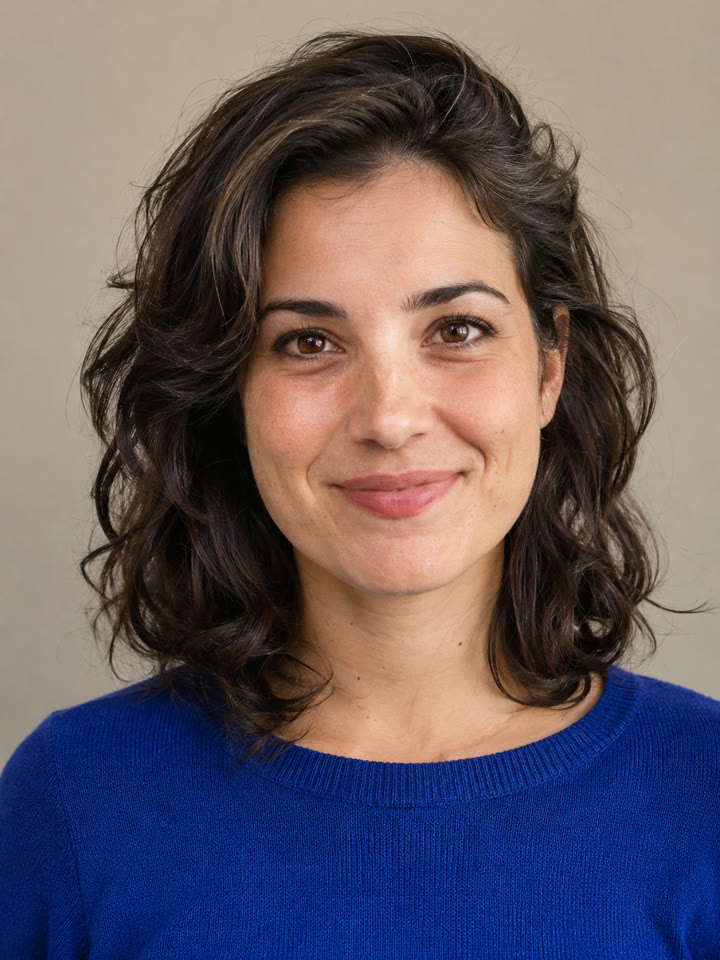
This fictional portrait became a short acoustic singing video using the tool’s singing settings. Press play with sound to hear the original melody and vocals.
Every little moment shines
When your hand is holding mineAcoustic · English lyrics · 12-second clip
How to make a photo sing
Prepare everything on this page. Your video stays here while it generates, with a copy in My studio.
Add a clear portrait
Use a well-lit, front-facing adult portrait with the mouth uncovered. For a duet, add two separate portraits or one photo of both people. Only use photos you have permission to upload.
Give it a song
Pick a sound and describe the occasion, or paste a few lines of your own lyrics. Choose English or Chinese for a new song; when using your lyrics, write them in the selected language. Review the clip length and credit quote.
Listen and download
Create your singing video, then play it with sound to check the words and timing. Download the MP4 for a greeting, a group chat or a social post.
Singing photo questions
Does the photo really sing?
The tool generates a video with melodic singing, an original accompaniment and mouth movements guided by the vocals. Pop, acoustic and soul use different musical arrangements. It creates a new AI singing voice; it does not reproduce the real voice of the person in the photo.
Can I upload an existing song?
This tool creates an original song from your topic or short lyrics. Audio uploads and lip-syncing to an existing recording are not available here.
Can I use my own lyrics?
Yes. Choose Use my lyrics and start with two short lines. Singing needs space for held notes, so use the timing estimate to choose a clip length. Your lyrics guide the song; listen to the finished video to check the words and timing before sharing.
Can two people sing together?
Yes. Choose Two portraits or One photo of both to create a duet with alternating sung phrases and harmony. Each portrait should show a clear adult face. Listen to the finished video to check both singers’ delivery.
Is the singing photo generator free?
You can prepare your photos and song settings before paying. Generation uses credits: the default Standard, 720p, 12-second clip costs 10 credits. Changing the model, duration or resolution changes the quote shown before you create. Confirmed failed generations return their credits.
What happens to my photos and video?
Your photos and finished video are stored privately and processed by the services needed to create the clip. You can preview and download your result on this page or open it later in My studio. Your own generations do not appear in this page’s public example.