Last train, good company
Coffee kicks inStreetlights burn lowLast train goneWe take it slow
Write your rap. Put yourself in the video.
This rap maker turns an idea or your own lyrics into a short performance. Edit the words, add a solo or duo photo, and create a rap video with AI vocals and a beat.
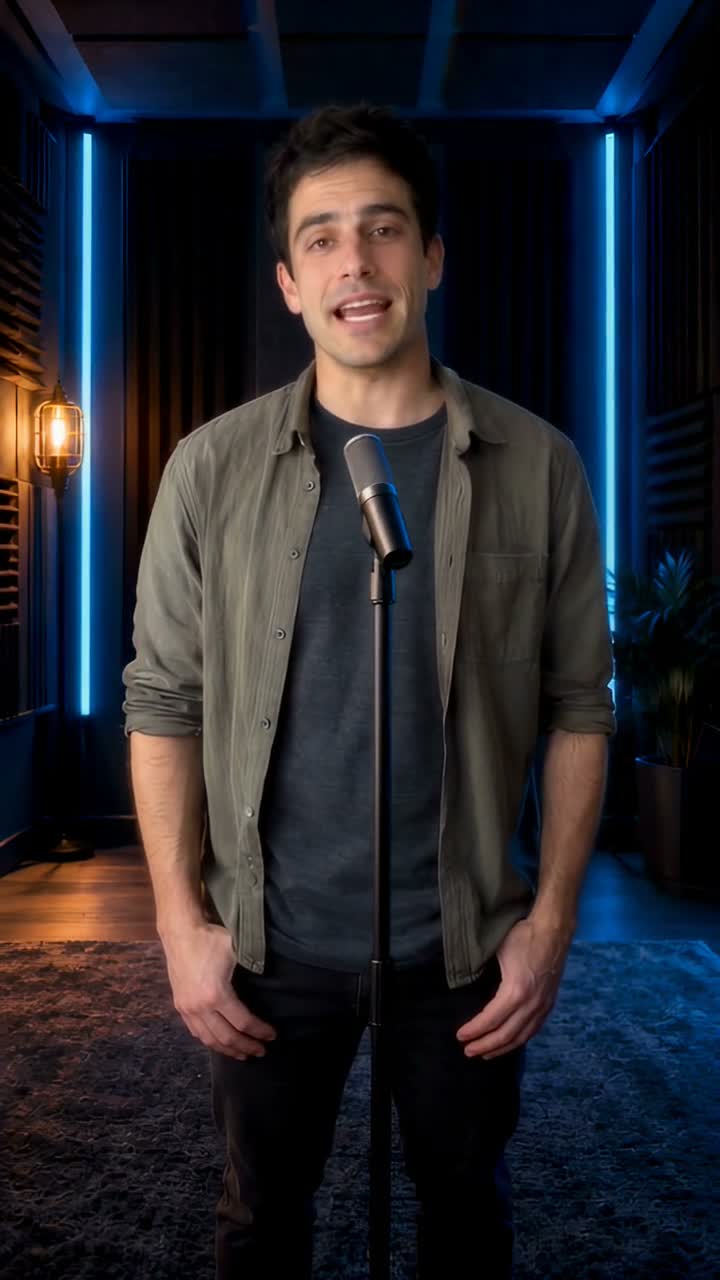 See a rap in actionWatch the stage examples
Confirm these lyrics and add your photos in the next step below.
Estimated minimum: 12s · target video: 15s.
This only prepares the next step. Video creation uses the credits shown there.Choose a solo or duo, pick a stage and check the video settings. Your confirmed lyrics travel with you.
Edit the draft above or write your own, then choose “Use these lyrics” to open the photo and video controls.
These are writing examples you can edit without using an AI request. Load one, change the details and continue with your own photos.
Coffee kicks inStreetlights burn lowLast train goneWe take it slow
Maya turns thirtyKeys gone againCake on standbyHere comes the gang
Small shop opensFresh bread glowsMorning queue growsEverybody knows
Watch sample performances on three stages. Use your own photos and confirmed lyrics to make yours.
Two performers in the orange booth.
A birthday rap on the street stage.
A rap performance in the studio booth.
Tell the rap maker who the verse is for, what happened and which detail matters. Choose “Use this topic” below to fill the writing box, then replace the names and choose the language, style and mood. Review the draft before using it.
Name the friend, add one familiar habit and finish with a birthday wish. Keep the joke affectionate so the clip still feels like a gift.
Maya turns 30, loses her keys and is always first on the dance floor. Write a warm, funny birthday rap ending with a cheer from her friends.
Use a shared moment rather than a list of compliments. A missed train, a late shift or an inside joke gives both performers something to recognize.
Two night-shift friends miss the last train. They walk home under the streetlights, tired but laughing. Make it warm and end on their friendship.
Start with a real product, a place and a simple invitation. Check names, opening hours and any offer yourself before putting them in the finished lyrics.
A neighborhood bakery opens each morning with warm rolls and fresh coffee. Write a cheerful rap about the morning queue and invite neighbors to stop by.
Start with the words you want people to remember. The writing and video tools share this page, so you can review the lyrics before adding photos or spending credits on a performance.
Aim for one scene and one closing thought. The AI writer targets eight compact lines: about 24–28 English words or 48 Chinese characters. If you paste a longer verse, use the displayed timing estimate to decide what to cut before adding photos.
For example, shorten “Every single morning we are standing in the same long coffee line” to “Same queue / Fresh brew.” Keep the detail people recognize and remove the words that only explain it. The estimate is a guide; listen to the finished video to check the delivery.
“Our team loves coffee” is a start. “The team coffee machine broke before the big pitch” gives you a scene to write about. Keep the name, the incident and the ending; a short verse rarely needs the whole backstory.
Read each line aloud once before continuing. If you need to rush, cut filler words or split a long sentence into shorter phrases. A loose rhyme that sounds like you is more useful than a forced rhyme that changes what you mean.
Use well-lit, front-facing photos with uncovered faces. JPG, PNG and WebP files up to 3 MB each are supported. For a duo, you can use separate photos taken in different places or one clear photo of both people.
Writing, editing and loading examples are free. AI lyrics share the existing daily allowance: 2 requests for guests and 3 for signed-in users. The writer shows your remaining uses. Extra AI requests and video creation use the credits shown with those actions.
Yes. Replace the text in the editor and choose the output language. Confirm the draft to pass those words to the video maker. Keep it within the 15-second estimate shown here; if it is too long, shorten it before continuing. Review the finished audio for wording and pronunciation.
Yes. The video step generates rap vocals and a beat, so you can start with written lyrics and photos without recording yourself. The voice is AI-generated; this page does not clone your voice or turn an uploaded full song into a full-length music video.
Start by trimming the verse yourself. The lyric writer creates eight compact lines for a 15-second clip, and the editor checks a timing estimate before you continue. The video step starts at 15 seconds or longer; available lengths depend on the model. Your words are never shortened automatically.
Yes. Choose English or Chinese in the lyric writer. Your chosen language, style, mood and edited words are passed into the video step together. Changing the site language keeps your saved draft.
Yes. Confirm the lyrics, choose the two-photo mode and add one clear portrait of each performer. You can also choose a single photo of both people. The shared verse and selected stage are used for the duo video; separate lyric tracks for each person are not provided.
Yes. When generation finishes, play the result and use the download control on this page. Check the vocals, names and timing before sharing it. This workflow delivers a video; it does not offer a separate vocal track or beat download.
Yes. Return to the editor, change the words and choose “Use these lyrics” again. Your photos and video settings stay in place while the confirmed draft updates. You must confirm the edited version before starting the video so an older draft is not used by mistake.
Your lyric draft is kept in this tab for up to 24 hours when browser storage is available. The video step also saves photos and settings before sign-in or checkout, then returns you here. Returning never starts a paid video automatically.